AI for beginners · A coffee-break guide
The four ACX levels: a practical guide to AI literacy
Start with one useful conversation. Add tools or teamwork only when your task needs them.
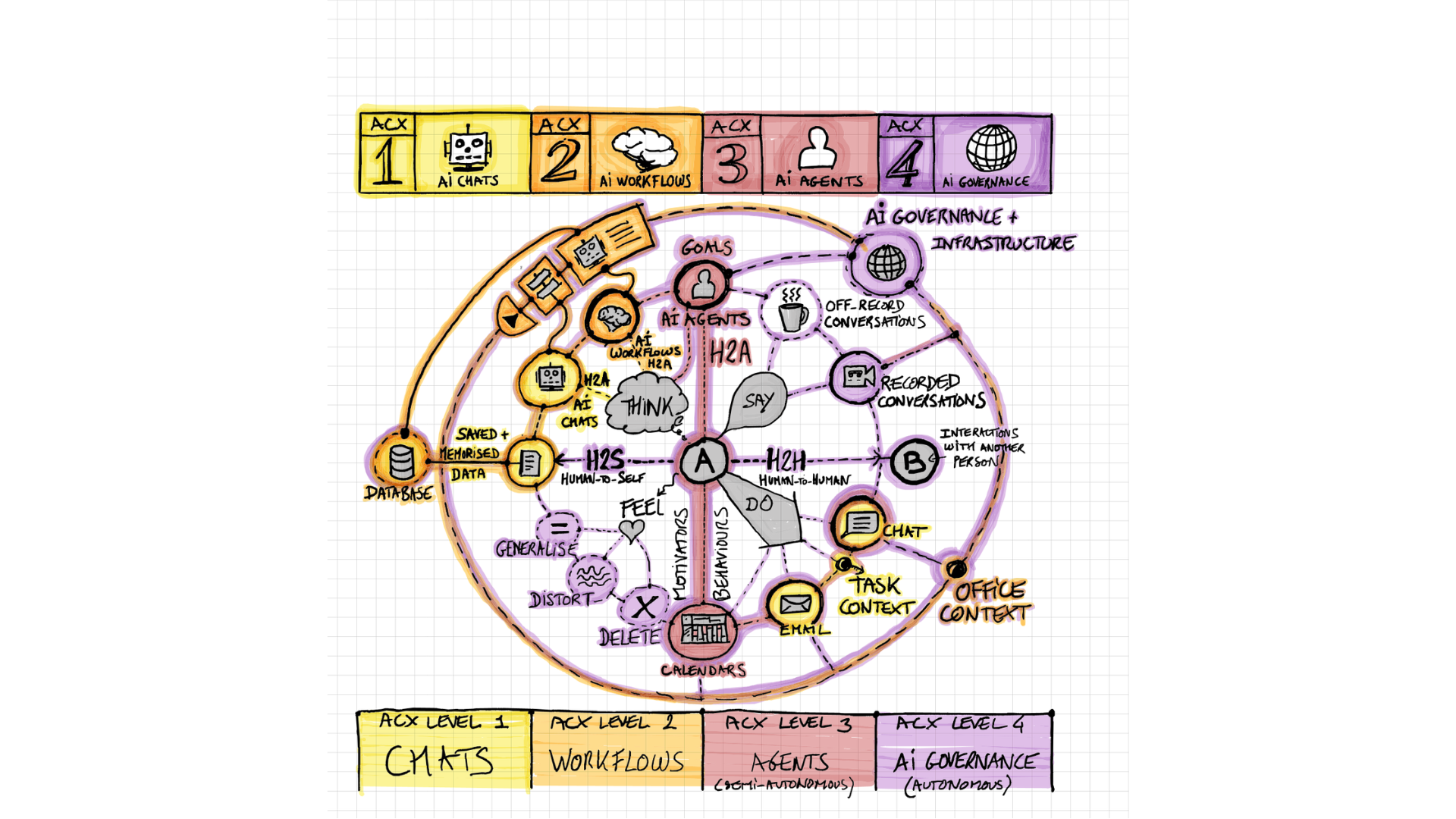
Start with the four levels ↓The four levels, at a glance
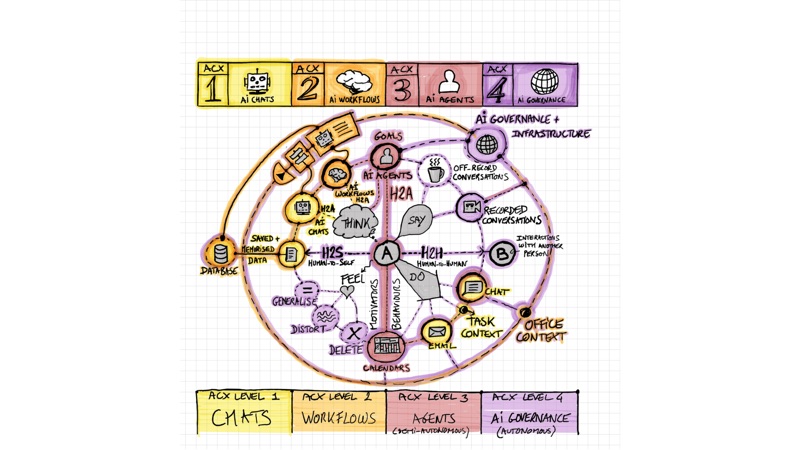
ACX is Estève’s map of four ways to work with AI. It is not a test or a ladder you must climb. You choose the goal, check the work and decide when to stop.
- ChatAsk, then check.
- WorkflowLink the steps.
- AgentGive a goal and clear limits.
- TeamworkAgree who does what.


The original drawing uses “AI governance” for level 4. This guide focuses on people working together in a team—not building AI systems for an entire organisation. View the complete colour drawing ↗
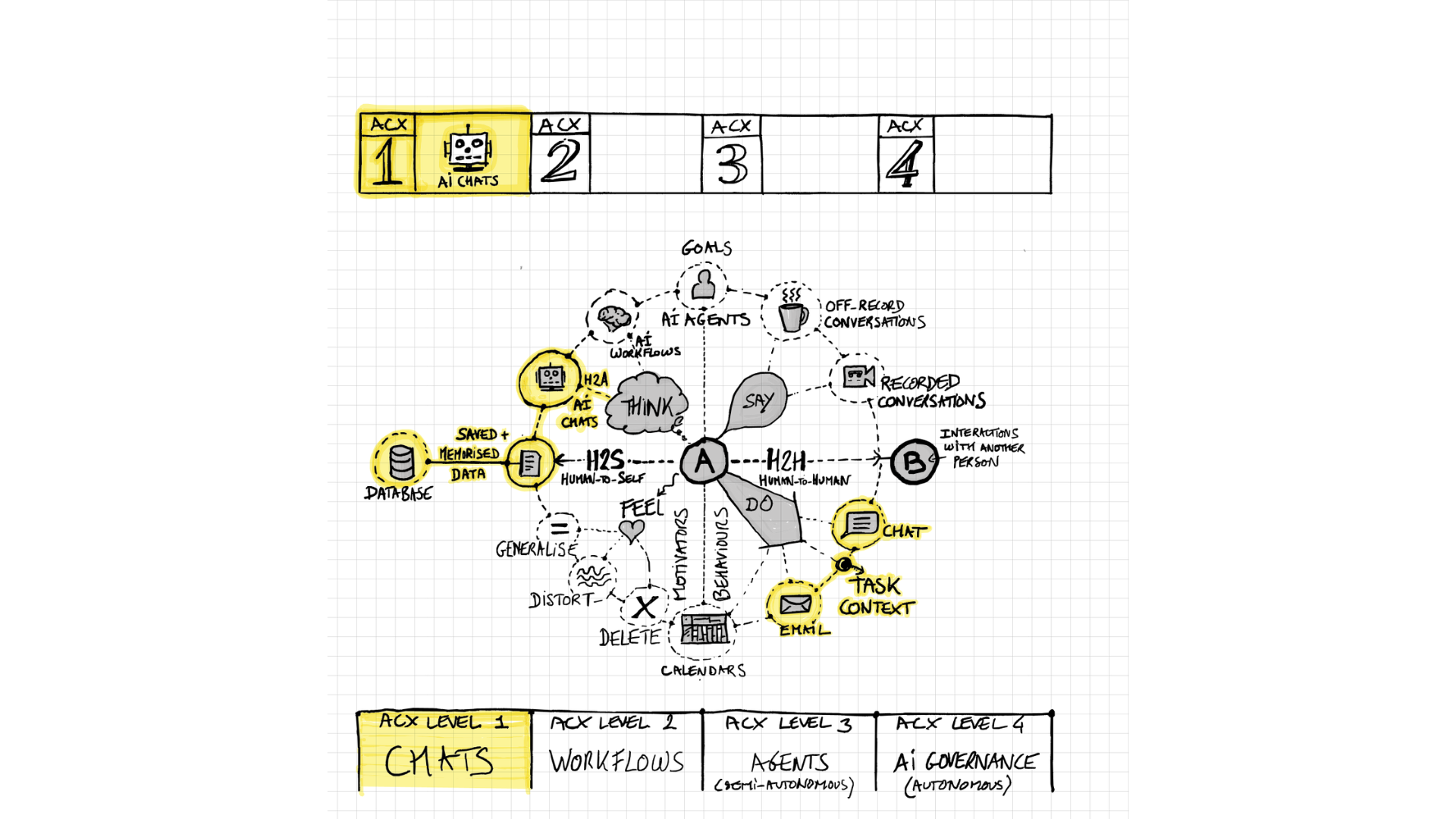
Ask, then check.
You ask AI for help with one task. A prompt is simply the request you give it.
A real task
Draft a message about a delay. Use made-up names. Tell AI what happened and what you want to explain.
See the original sketch
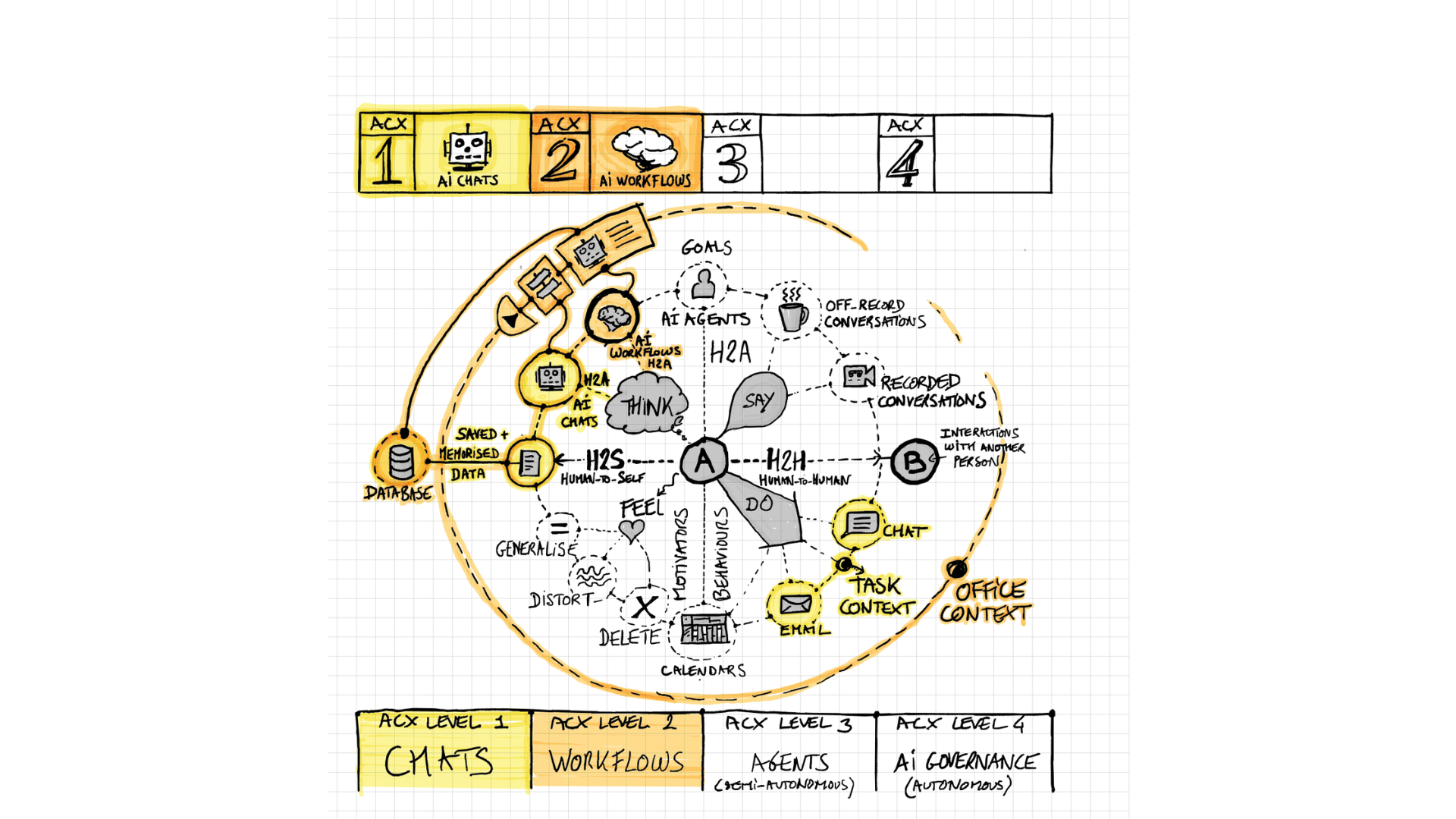
Link the steps.
A workflow is a set of tasks in order. Some use AI; others need a person.
A real task
Turn approved meeting notes into an action list. Use another tool to compare the list with the notes. Ask a colleague to review it.
See the original sketch
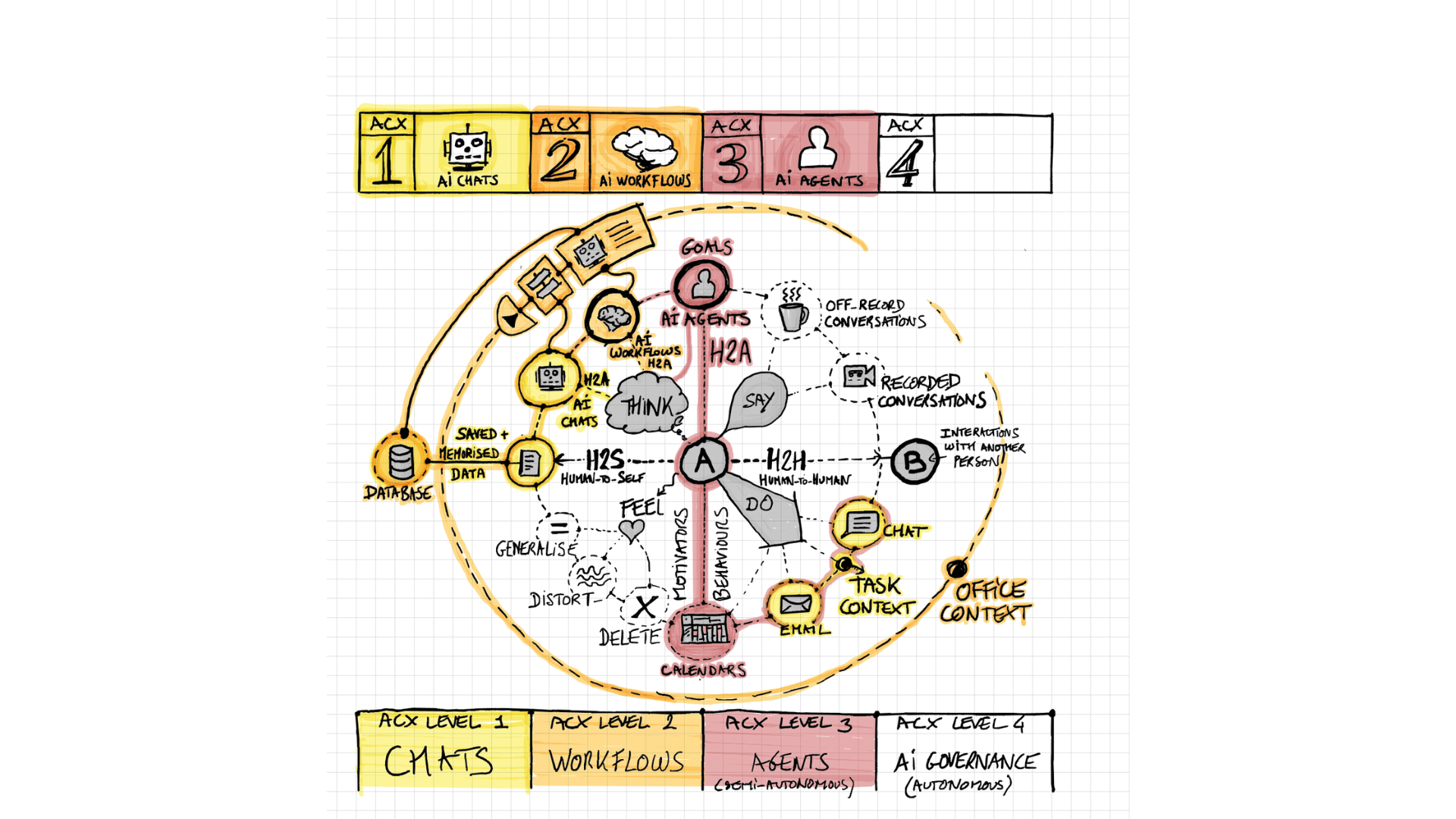
Give a goal and clear limits.
An agent is an AI tool that can take several steps towards a goal. You set what it may do and when it must ask.
A real task
Ask an agent to draft a briefing from approved documents. Let it flag gaps. Do not let it send messages or make promises without permission.
See the original sketch
Agree who does what.
Team members use AI in shared work. People still make the final decisions.
A real task
Prepare a proposal together. One person checks research, another drafts the plan and a third checks the promises.
See the original sketch
Try this: prepare one difficult conversation
Choose a low-risk example. Use made-up details, not confidential client or colleague information.
- Think first. Write your goal in one sentence. Name one thing you do not know.
- Ask AI. Give it the situation and ask for two ways to explain it.
- Check the draft. Look for invented facts, missing context and promises you cannot keep.
- Return to the person. Use the draft to prepare a real conversation. Listen to what they say.
A prompt you can adapt
Help me prepare a conversation about [situation]. My goal is [goal]. Ask me what is missing before drafting. Give me two ways to explain it. Do not invent facts or make promises for me.
Our Speech Lab adds another useful check. Its GreenBlueRed model helps you notice three communication behaviours:
- Green · Connect: “I want to understand what matters to you.”
- Blue · Explain: “Here is what changed in the plan.”
- Red · Agree on action: “Can we choose the next step together?”
These colours describe communication behaviours. They are not ACX levels or labels for people.
More time? Go a little deeper.
You can start practising without learning these extra labels. Return when they help you.
Think, say, do and feel
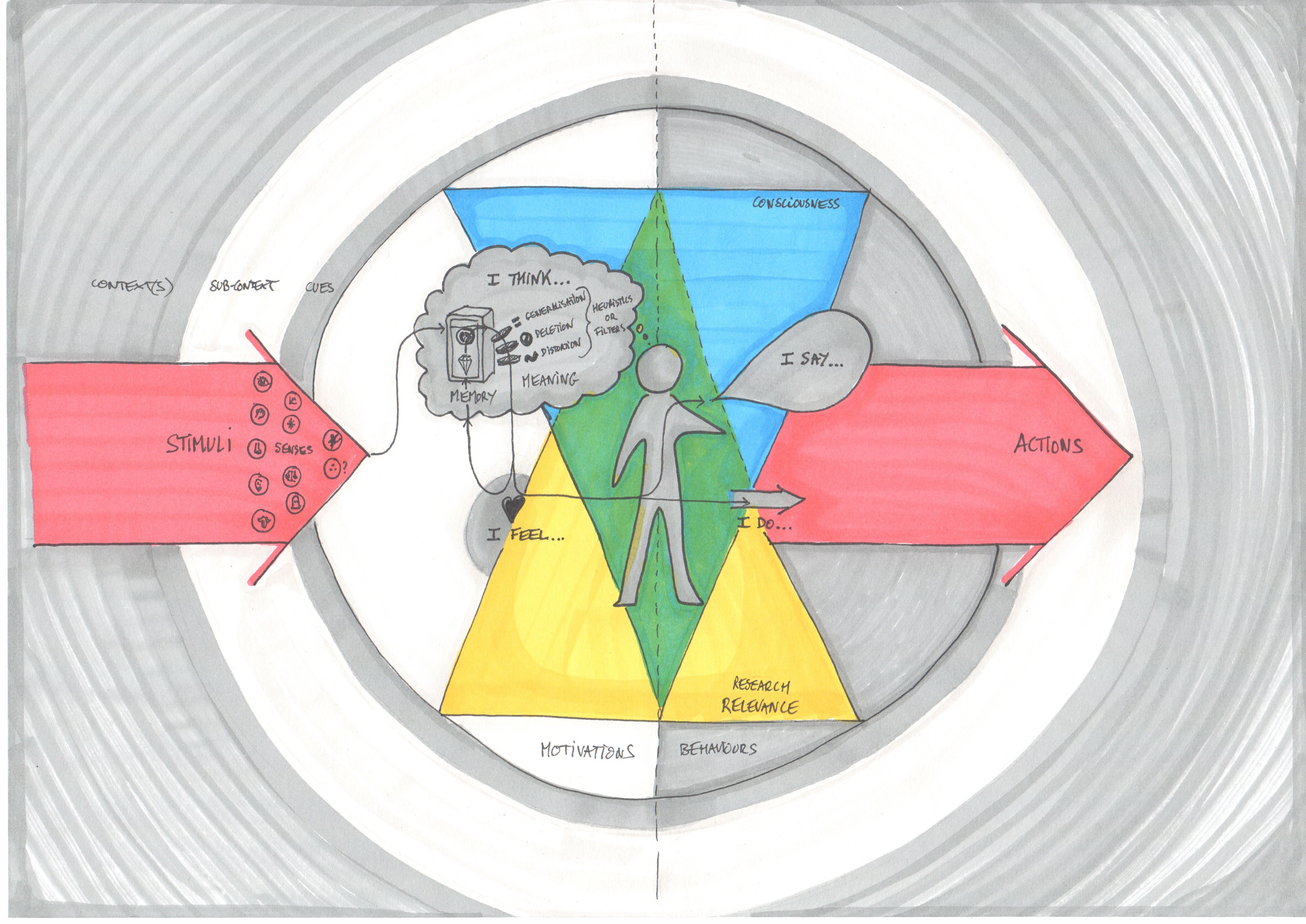
A clear prompt starts before you type. You need to know what you want, what you know and what you are unsure about.
The Periodic Table of Conscious Communication helps us look at four parts of human communication:
- Think and understand: What is my goal? What evidence would change my mind?
- Say and write: Give AI clear instructions. Check its drafts for meaning and tone. Keep your own voice and show care for the reader.
- Do and communicate without words: Use AI to plan timing, pace and pauses. Choose when to speak, wait or follow up. Body language still matters when you meet people.
- Feel and intend: Conscious communication means conscious prompting. Notice what you feel and make your intent clear in each exchange with AI.
Working with AI agents can make us focus only on words. Yet the timing of a message, the space between replies and the pace of follow-ups also shape a conversation. Ask AI to help plan that rhythm, then choose what fits the people involved.
AI can help you explore a thought. It cannot tell you for certain what another person privately thinks or feels. Keep asking people rather than treating an AI guess as their answer.
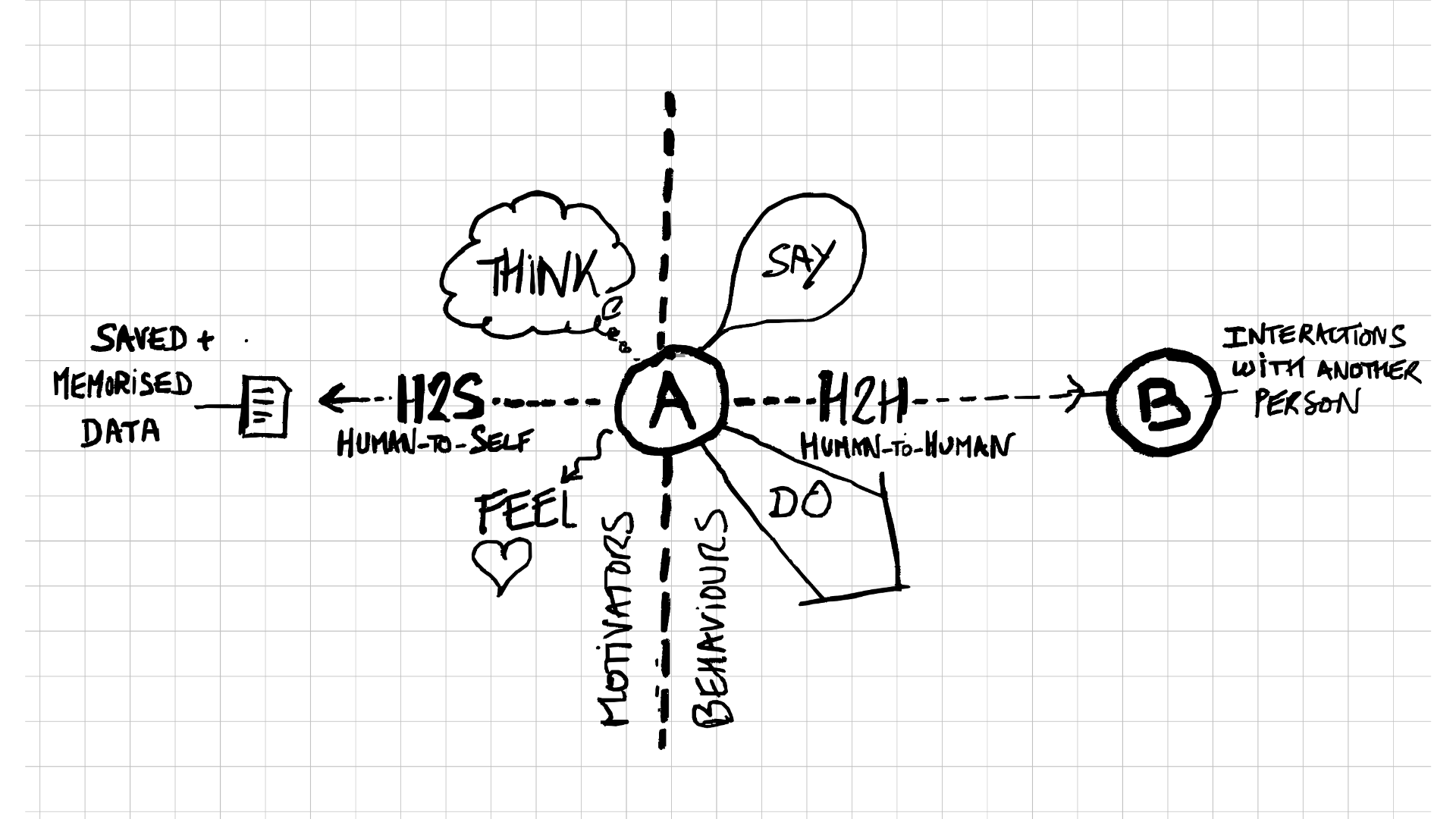
Who communicates with whom?
These four labels help us follow a piece of work. They describe connections, not four separate ACX levels.
- H2SHuman to Self
- You reflect on your goal, feelings and assumptions. This is the thinking that prepares a prompt.
- HAIHuman to AI
- You send a request, read the response and ask follow-up questions. A prompt is the instruction you give the tool.
- A2AAI to AI
- AI tools pass information or tasks between them. People still decide what they may share and how to check the result.
- H2HHuman to Human
- You listen, explain, disagree and make decisions with other people. AI output may inform the conversation; it does not replace it.
A note on these short labels
H2S and HAI are the labels used in this guide. You may see other wording elsewhere. A2A also names the Agent2Agent protocol, a specific technical standard for communication between AI agents. Here, A2A is a broader label for AI-to-AI exchanges; it does not mean a tool uses that protocol.
See the original human-communication sketch
Where ACX comes from
ACX grew from Estève’s AI and communication research with Arbora. It is a teaching guide, not a validated test of ability.
Why the gear metaphor?
I first explained this idea with diagrams on paper napkins over lunch near Zurich station. The question was simple: what happens when AI adds more connections than people can keep track of?
I used the gears of a car to explain the change. First gear gives you close control. Later gears let you do more, but they ask you to pay attention in different ways. The gear is a teaching image, not a score for a person or a team.
The drawings use H2A where this guide says HAI: exchanges between a person and AI.
Where the Satellite Scan fits
The Scan offers personal reflection on your communication, a coach-prepared dashboard, prompts and practice materials. You do not need it to use this guide.
Share only what an AI tool needs. Personal Scan results are not team data by default. The Scan does not install agents or include training. Coaching and training are booked separately.
Explore the Satellite Scan →Which AI literacy training fits your needs?
Discovery workshop: 3.5 hours, including a break, for 6–16 people. Map all four levels and leave with practical takeaways at levels 1–2 only.
Four-day coaching journey: part-time, hands-on coaching for 1–5 people. Practise levels 1–2 in depth, try level 3 with guidance and get an overview of level 4.
The aim is to build your judgement, confidence and communication skills while using AI. No course can make every answer reliable on your behalf.
Common questions
Do I need coding skills to start?
No. Start with clear requests and careful checking. Connecting tools and setting up agents can require extra technical support.
Are ACX levels a certificate or an industry standard?
No. They are Estève’s teaching framework. Completing a course does not certify a person, a team or a system at a particular level.
Must I buy the Satellite Scan to read this guide?
No. This guide and the example exercise stand on their own. The Scan adds personal reflection material if you choose to use it.